# Пользователь вводит данные
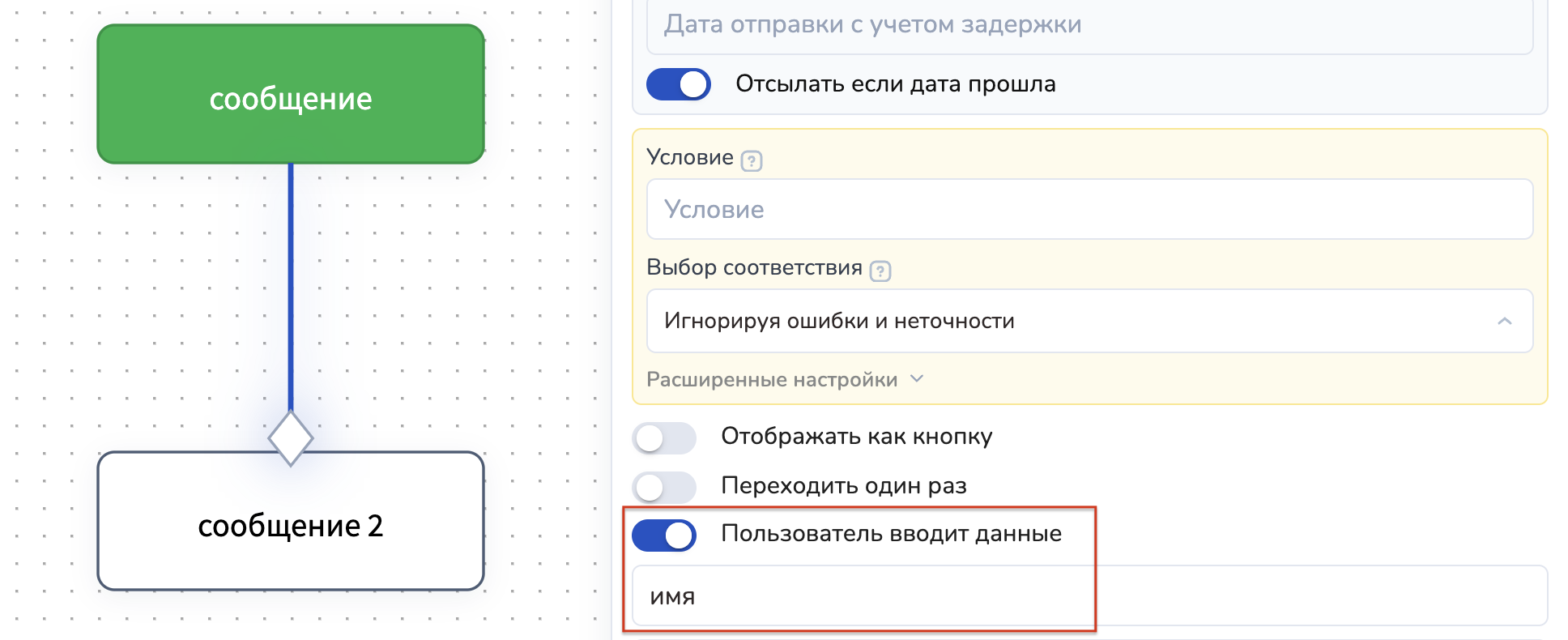
**Пользователь вводит данные:** при включении данного переключателя, появляется дополнительное поле "Вводимые данные". В него нужно внести название переменной, в которую запишется ответ пользователя. Название переменной вводится одним словом. Переменная чувствительна к регистру. В примере ответ пользователя запишется в переменную "ответ\_пользователя":
{% hint style="danger" %}
ВАЖНО!
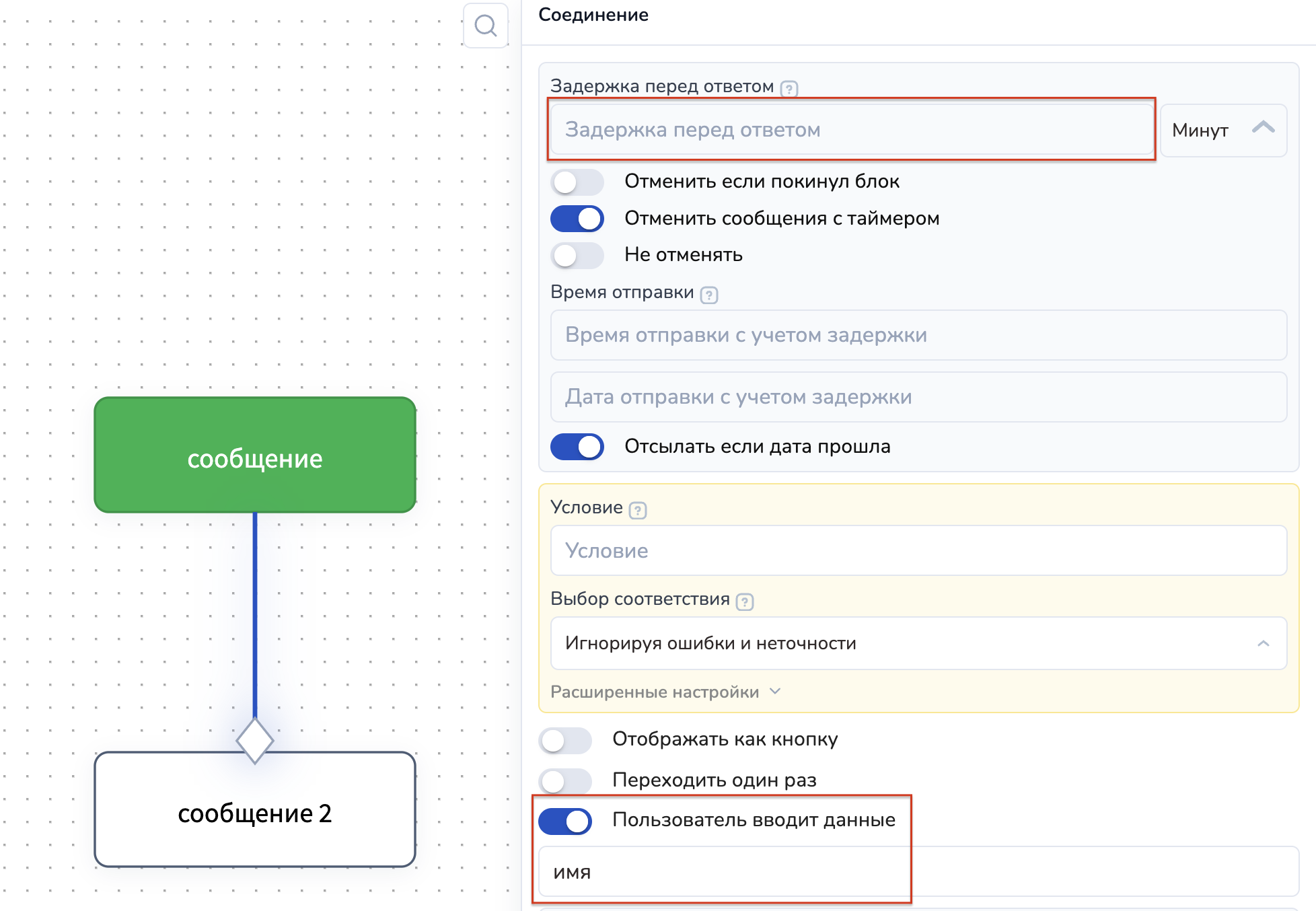
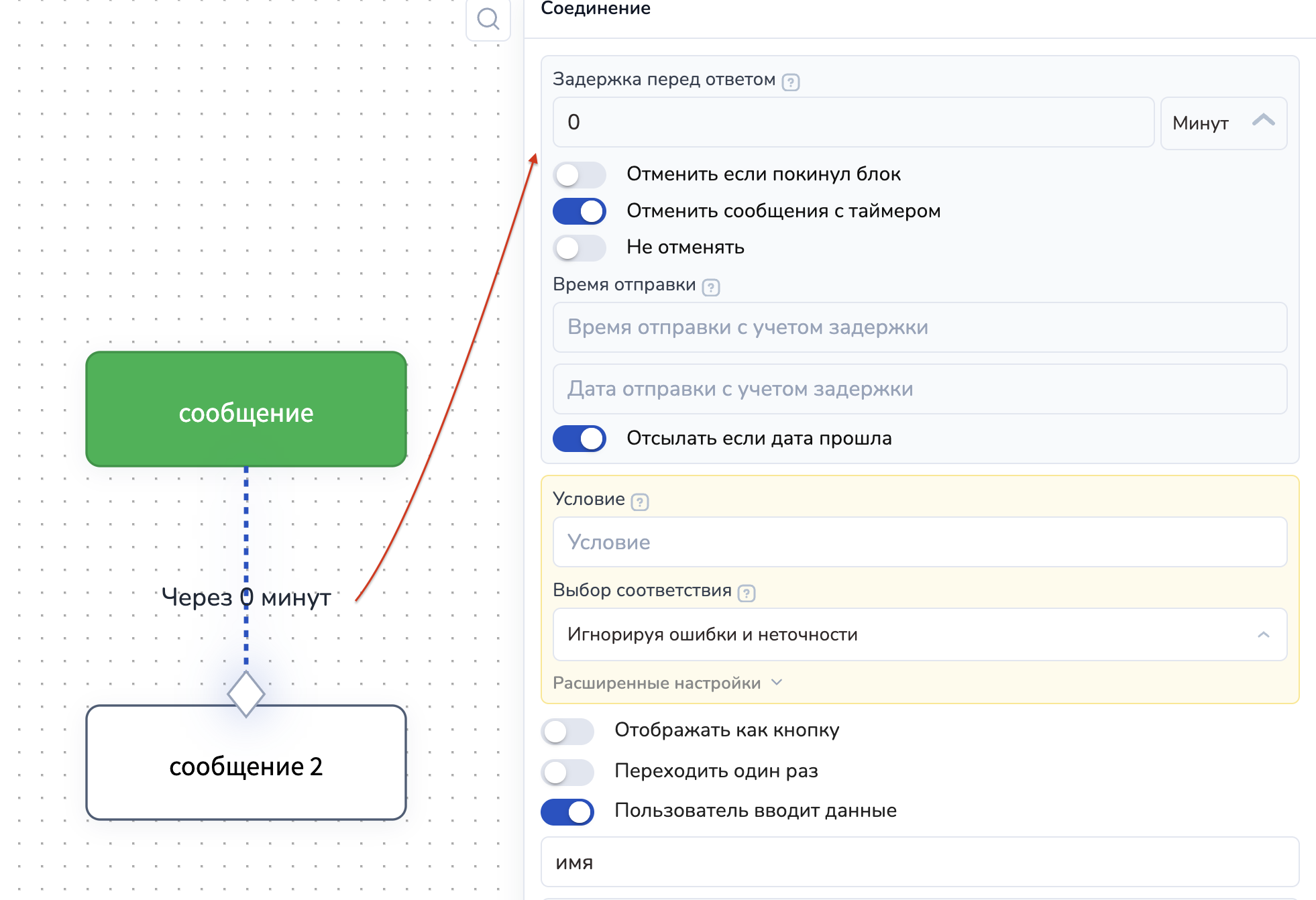
Стрелка со сбором данных работает БЕЗ ЗАДЕРЖКИ в настройках данной стрелки. Это значит, что бот будет ждать пока пользователь ответит на этот вопрос.\
Чтобы пользователи не останавливались на долго в блоке перед ответом на вопрос, продумайте логику воронки и [добавьте догоняющее сообщение ](https://docs.salebot.pro/chat-boty/tipy-blokov/bloki-ne-sostoyanie#blok-ne-sostoyanie)(например, с помощью блока не состояние), если нужно напомнить о себе.
{% endhint %}
Верно
Неверно: Нельзя ставить задержку в стрелке со сбором данных
---
# Agent Instructions: Querying This Documentation
If you need additional information that is not directly available in this page, you can query the documentation dynamically by asking a question.
Perform an HTTP GET request on the current page URL with the `ask` query parameter:
```
GET https://docs.salebot.pro/chat-boty/kak-sozdat-chat-bot-dlya-biznesa/strelki-soedineniya/polzovatel-vvodit-dannye.md?ask=
```
The question should be specific, self-contained, and written in natural language.
The response will contain a direct answer to the question and relevant excerpts and sources from the documentation.
Use this mechanism when the answer is not explicitly present in the current page, you need clarification or additional context, or you want to retrieve related documentation sections.